Payment Details
ReviewNPrep provides below modes to charge users for content published by you.
- Stripe
- PayPal
- RazorPay
- ReviewNPrep Provided Keys
NOTE: You can activate Test Mode to Yes for testing purpose only.
**NOTE: **As an instructor, you can choose any available option for users. However, it is important to note that for ReviewNPrep keys, only USD is available. Additionally, user enabled Payment Gateways would make your course ineligible to be listed on our Marketplace.
Stripe
To use Stripe, you need to select Custom Payment Gateway and check Stripe.
If you do not have a stripe account, head over to Stripe and create an account with them. Please note ReviewNPrep does not have any say in approval/denial of your Stripe account.
For existing accounts, login to your portal and head over to Developers mode. You need Test and Live API Keys. Grab these two keys:
- Publishable Key
- Secret Key
Once you have copied these, simply paste it in the portal. **
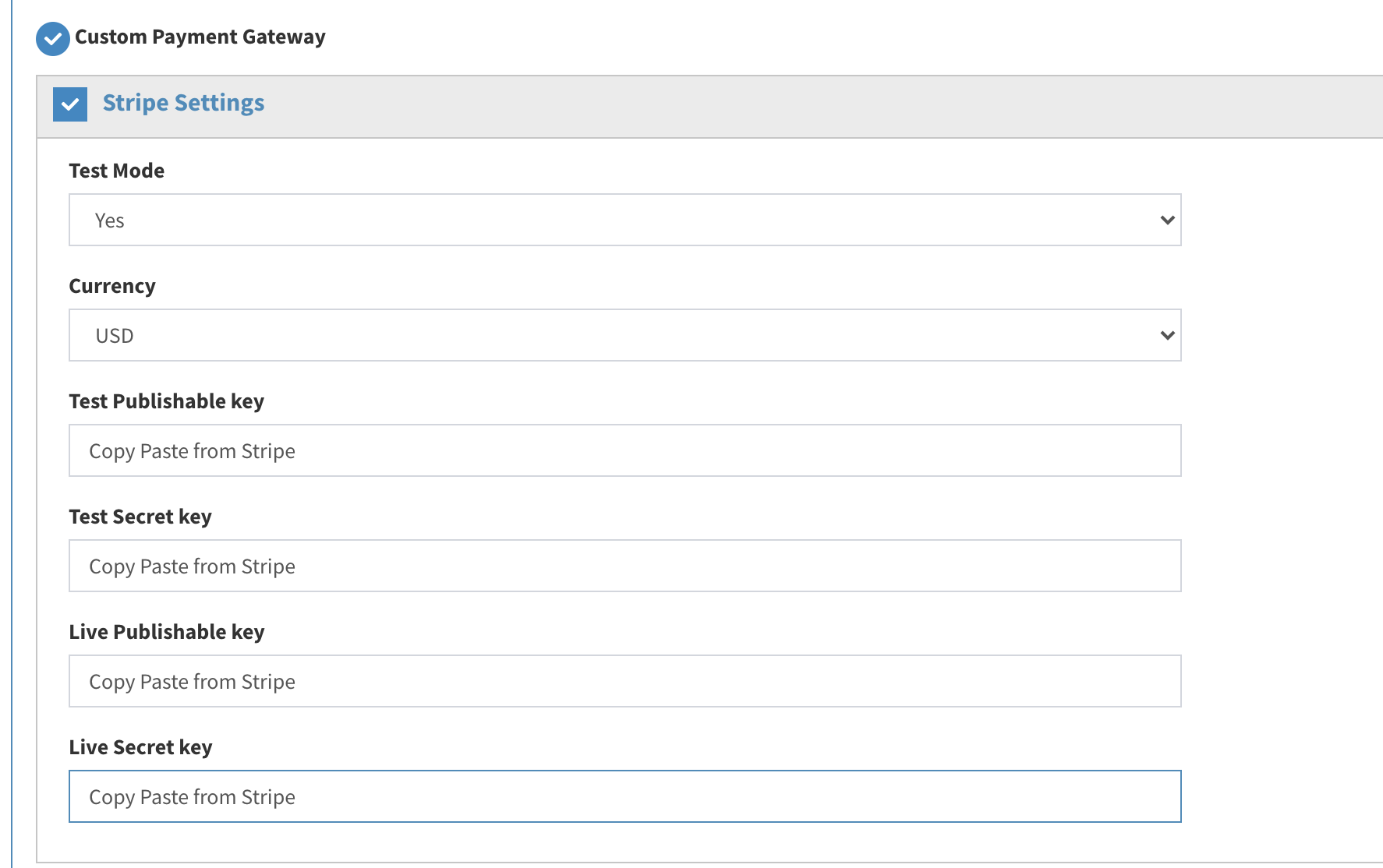
**
PayPal
To use PayPal, you need to select Custom Payment Gateway and check PayPal.
If you do not have a PayPal account, head over to PayPal and create an account with them. Please note ReviewNPrep does not have any say in approval/denial of your PayPal account.
For existing accounts, login to your Developer PayPal portal. You need Sandbox and Production API Keys. Grab these two keys:
- Client-Id
- Secret Key
Once you have copied these, simply paste it in the portal. **
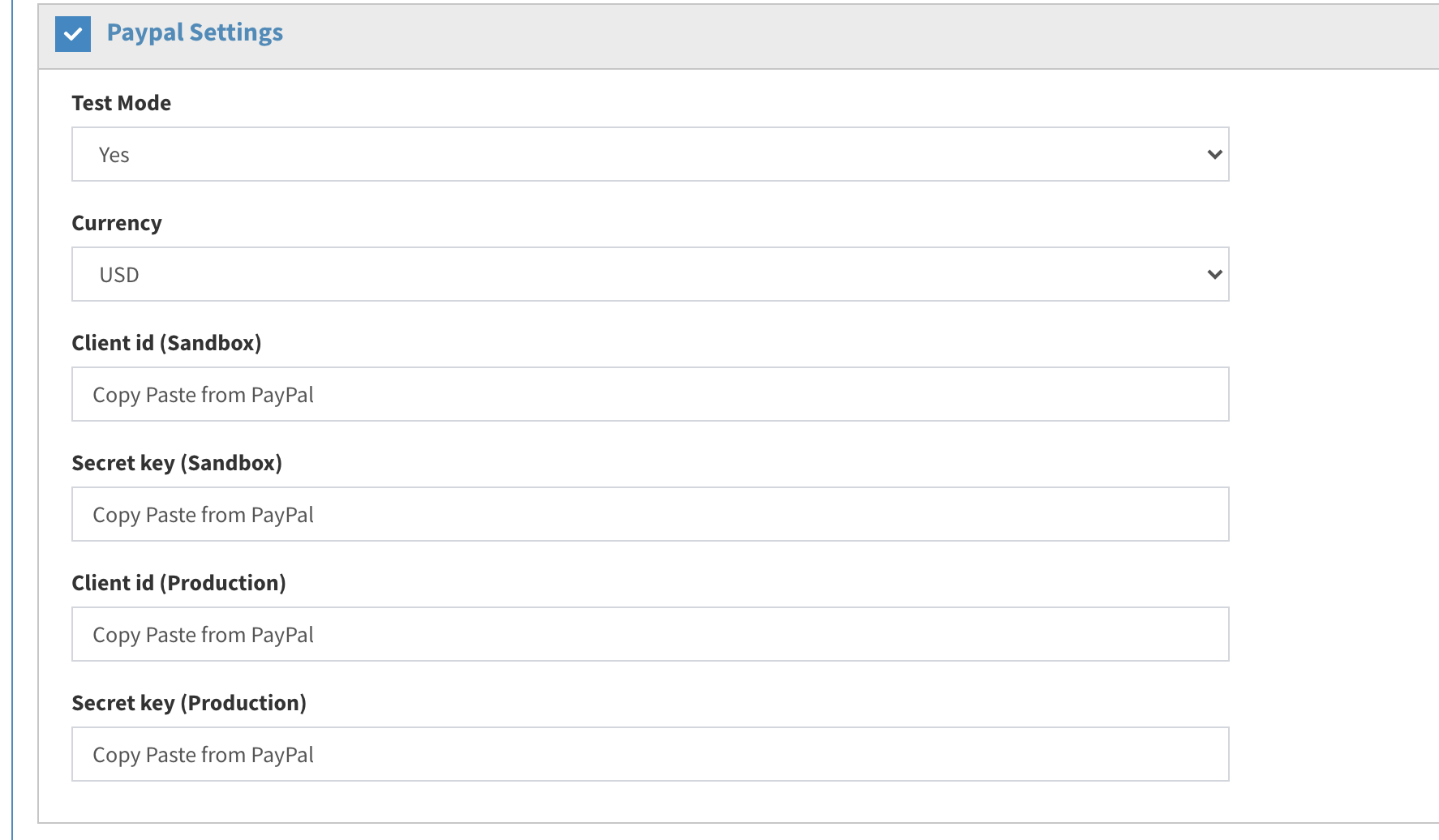
**
RazorPay Keys
To use RazorPay, you need to select Custom Payment Gateway and check RazorPay.
If you do not have a RazorPay account, head over to RazorPay and create an account with them. Please note ReviewNPrep does not have any say in approval/denial of your RazorPay account.
For existing accounts, login to your RazorPay account. You need Test and Live API Keys. Grab these two keys:
- Publishable Key
- Secret Key
Once you have copied these, simply paste it in the portal.
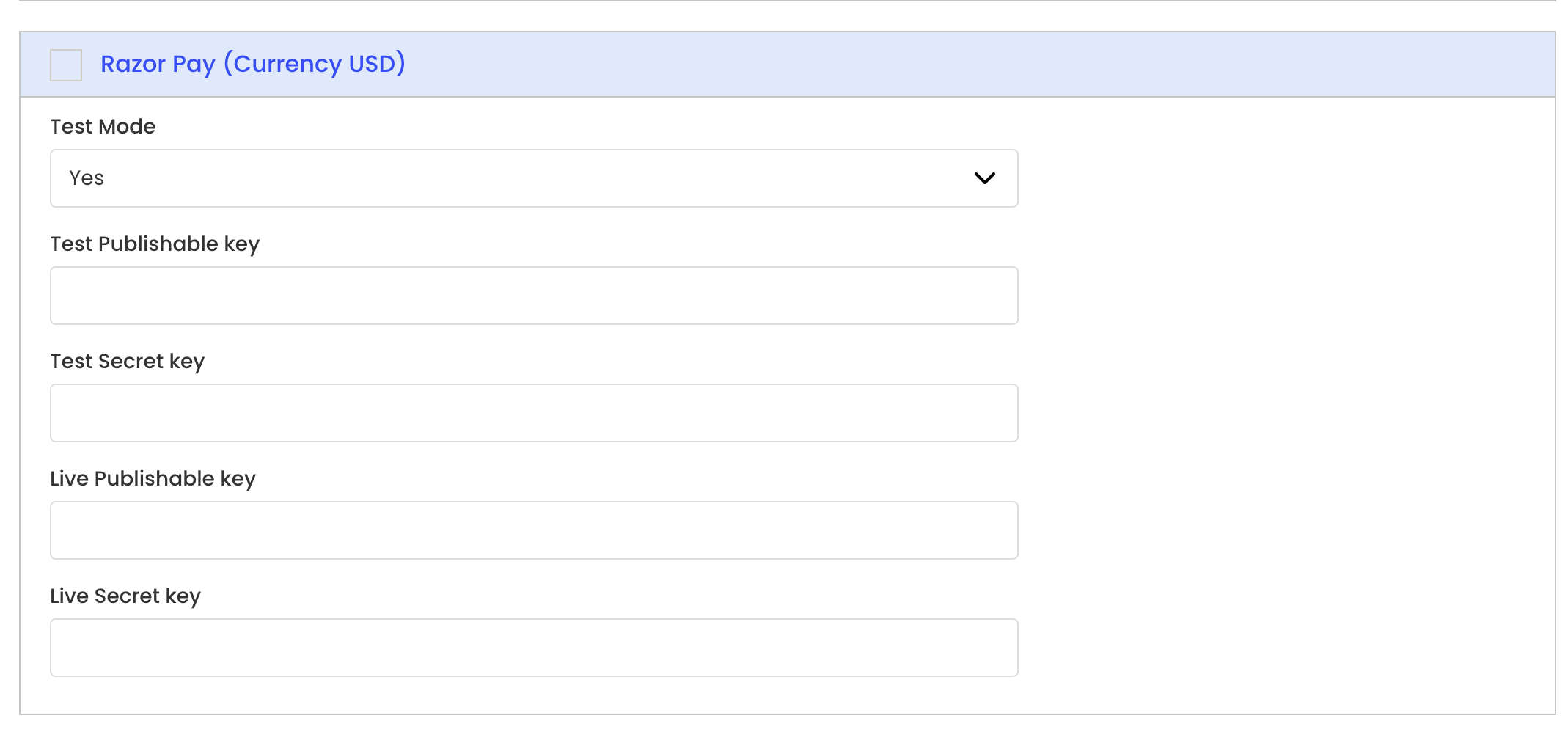
**
**
ReviewNPrep Keys
To avoid the hassle of creating accounts with merchants, you can use ReviewNPrep keys.

When you use ReviewNPrep keys, pay attention to the below considerations:
- All sales on your website would be credited to ReviewNPrep account (PayPal and/or Stripe).
- Website owners would have to provide us with their PayPal account to deposit money in their respective accounts.
- The money would be deposited at the end of each month after taking a commission for using ReviewNPrep keys. Please note that is not different from if you would use your own Payment Gateway keys. Each service provider (Stripe/PayPal) charges for individual transaction.
- The commission would also include a transfer fee as charged by PayPal. This fee is nominal and subject to change.
NOTE: You can either use your own keys or ReviewNPrep provided keys.
Click Save after you have selected the option that works best for you.