Coupons and Sales
The admin of the school can create sales and/or coupons to offer reduced prices to the buyers.
**Video Link: **
To enable reduced prices or coupons, login to your admin panel and click on the type of content you want to create an offer for. You can select Quizzes, Video Courses and Flashcards.
Once you have selected the right content, under Actions click on Coupons as shown in the screenshot.
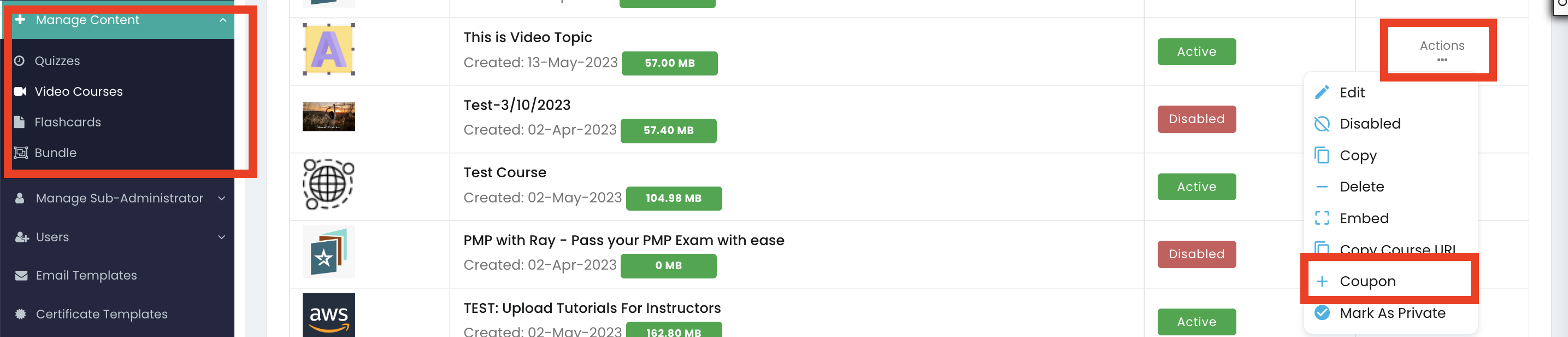
Below are the two options available on the next screen:**
**
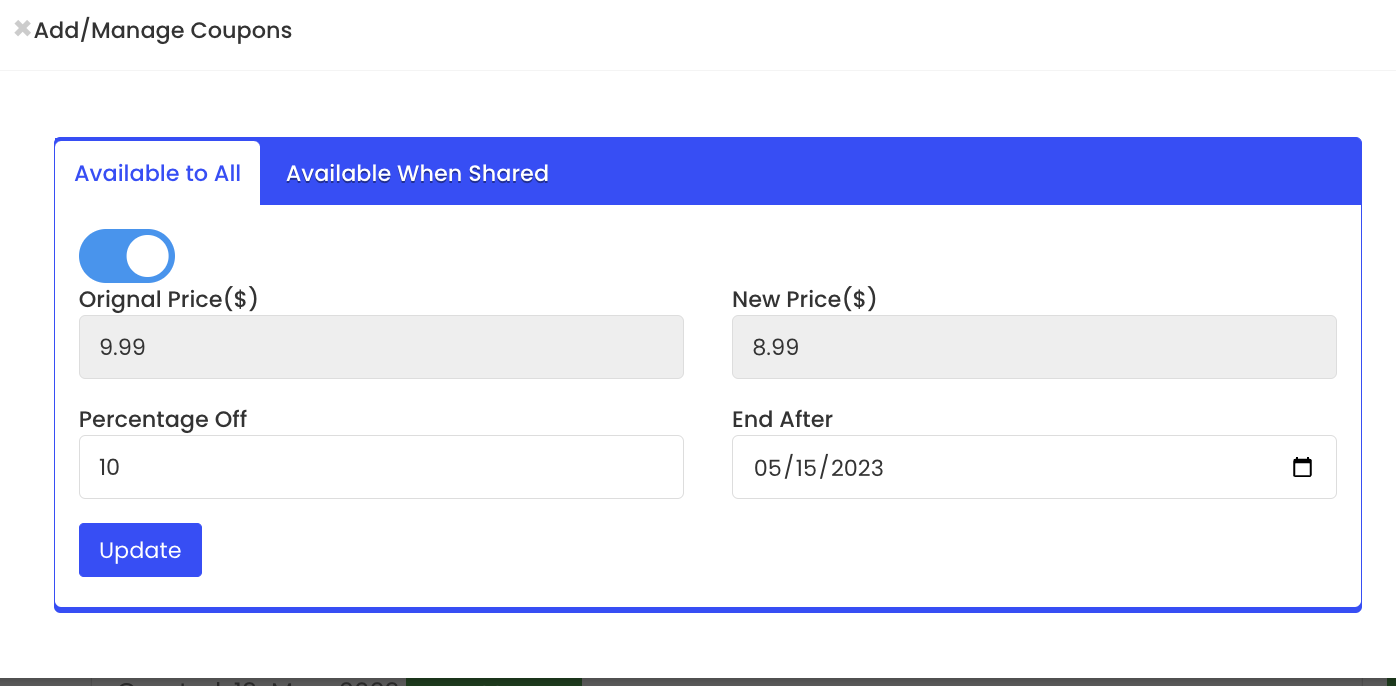
1. Available to All
Use this option to create a site wide sale on the course. No coupon is necessary. Enabling this will reduce the price for everyone on your website.
Options to fill in this menu are Percentage off and **End date **(screenshot above). The New Price is automatically created based on the percentage off.
After entering the fields, click on Update to save the changes.
2. Available When Shared
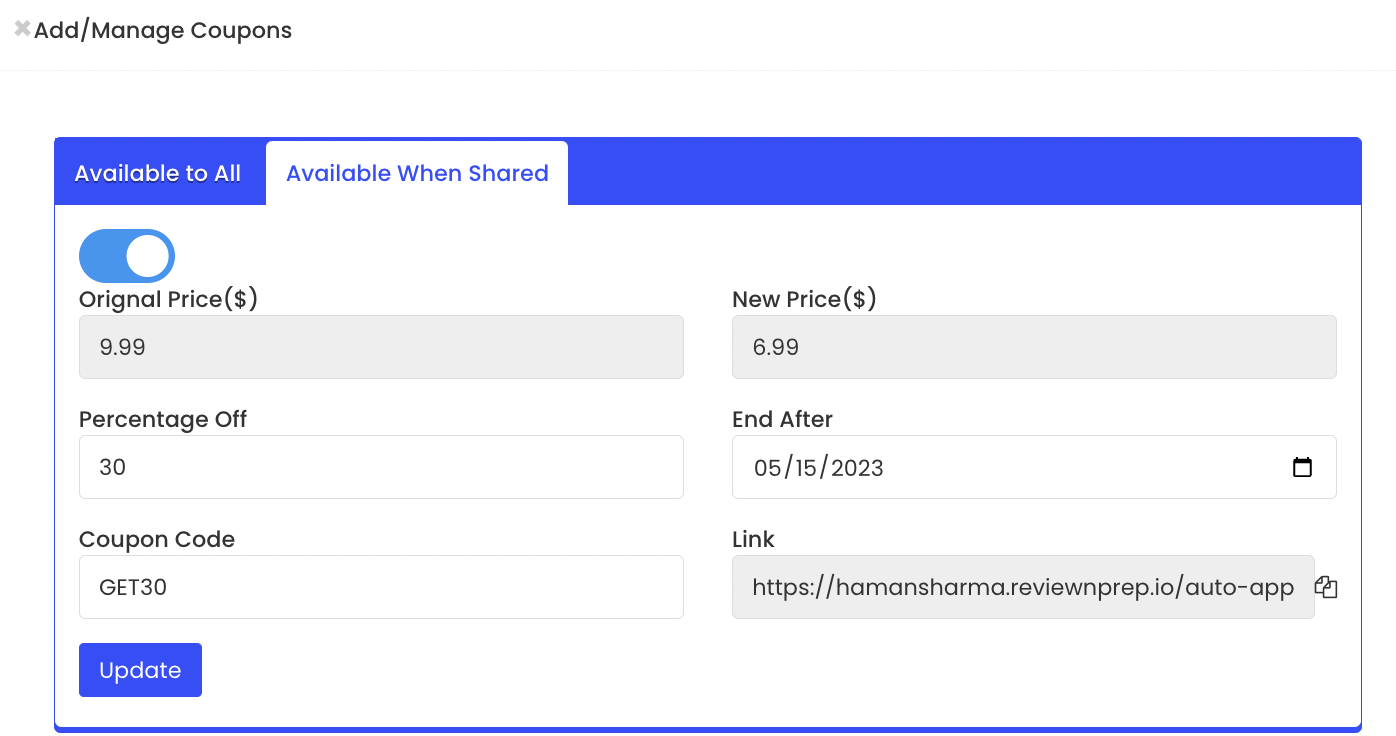
Use this option to create an actual coupon. The coupon can be shared with any individual you choose to. Options to fill in include Percentage Off, End After and **Coupon Code. **
Once the update button is clicked, the Link gets auto updated. The link can be shared as well and it adds the coupon directly to the checkout cart.