Access to Video Courses Sections and Sub-sections
In some cases, instructors would want to allow access to certain sections and sub-sections for their courses.
Below are the steps needed in order to accomplish this:
-
Login to the admin panel and navigate to Manage Content and click on Video Courses.
-
Under Actions click on Edit
Section Sharing
Navigate to the section or sub-section you want the user to get access to.
Click on the share link option as shown:

In the new dialog box, click on " Copy Video URL Of Section". This generates a unique link that is shareable. To prevent misuse, only share the link with people you trust.
NOTE: The link doesn't call for a login.
Sub-section Sharing
Only the custom-videos uploaded on the platform can be shared individually. No individual document, YouTube video, Vimeo or any other link can be shared individually.
Once you have the right Section and the subsection, click on the share link as shown below:
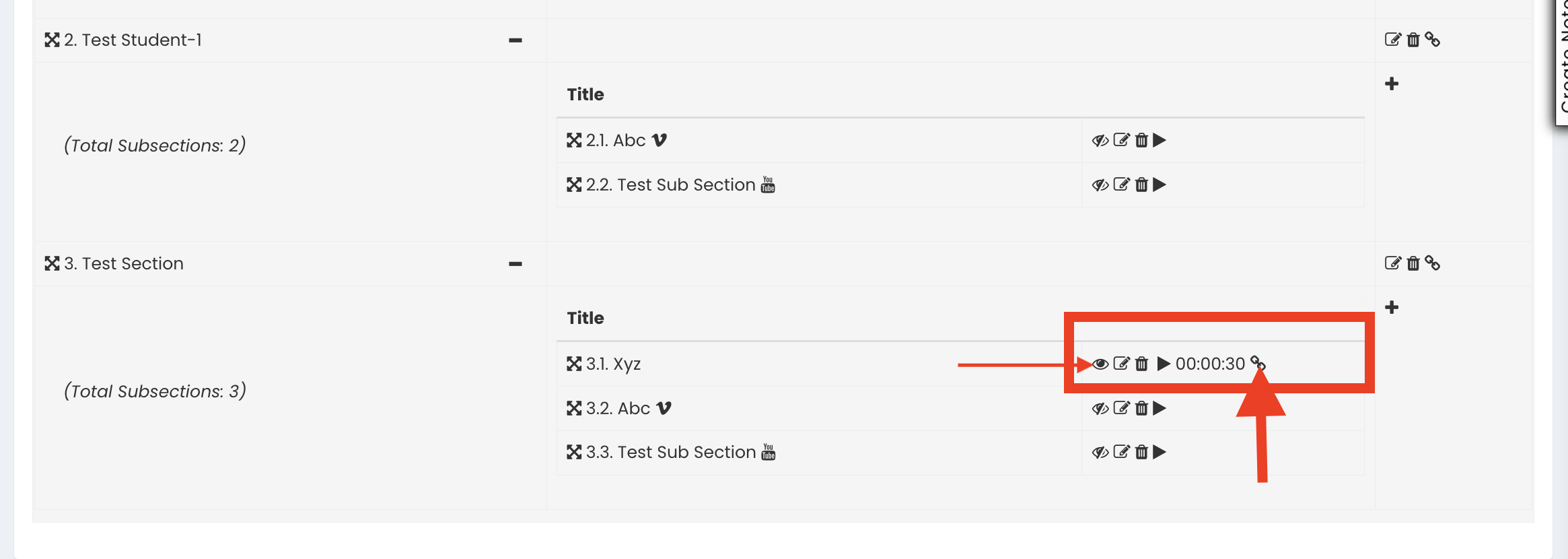
In the new dialog box, click on "Copy Video URL". This generates a unique link that is shareable. To prevent misuse, only share the link with people you trust.
NOTE: The link doesn't call for a login. Also, video must be marked as public to be available to view.